How to find the person behind a work email
Use one person enrichment call per inbound work email to fill a reply worksheet with name, title, LinkedIn URL and employer size and industry
On this page
You have 40 inbound leads that arrived as bare work email addresses and need a name, title, LinkedIn URL and employer size and industry for each before you reply. The deliverable is a nine-column worksheet that pairs each address with the fields a reply needs, plus a decision column
The worksheet is a design, not a result. No call has been run for this article, so the rows below are placeholders
Example inputs and worksheet design
Example addresses, invented for this guide on reserved .example domains. Swap in real work addresses before running; the input is format: email, and the reserved domains below are placeholders, not contacts
| Example work email | Note |
|---|---|
| [email protected] | Invented placeholder |
| [email protected] | Invented placeholder |
| [email protected] | Invented placeholder |
The output table has these columns. Values here are placeholders showing the shape
| firstName | lastName | title | linkedinUrl | companyName | companyEmployeeCount | companyIndustry | decision | |
|---|---|---|---|---|---|---|---|---|
| (address) | (name or empty) | (name or empty) | (role or empty) | (URL or empty) | (employer or empty) | (band or empty) | (industry or empty) | reply, review or skip |
Set decision from found first. A false row goes to skip. A true row with a name and enough employer detail for the reply goes to reply. A thin row goes to review
The input the tool takes
anyapi.person_enrichment.quickenrich takes one field, email, and the schema marks it required. The contract describes it as the exact work email address to look up, with format: email and maxLength 255. Agents call it through POST /v1/runs with toolId anyapi.person_enrichment.quickenrich
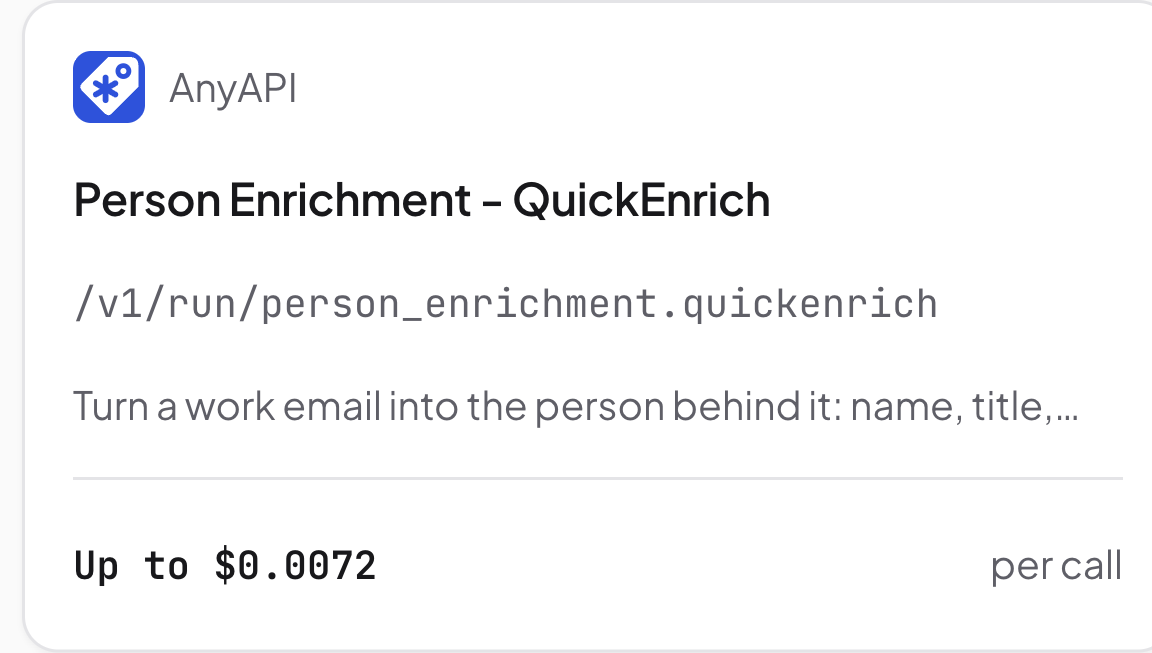
Person Enrichment card. Source: Purrkey tool directory, captured November 12, 2026. The card shows "Up to $0.0072 per call"
The contract says the tool turns a work email into the person behind it: name, title, LinkedIn and the employer's firmographics, and that coverage is strongest for small and local businesses
The limit sits at this step. A list of contacts at large employers is the case the contract does not favor, so expect many empty rows. Test ten addresses before you commit to forty
How to read the result fields
Start with found. When it is false, data is null and reason is not_found. The contract calls a found: false answer a successful call, not an error, so an empty row is a normal outcome
Name and role fields are firstName, lastName, title and linkedinUrl. Employer fields include companyName, companyEmployeeCount, companyIndustry, companyDomain, companyRevenue, country, region, city, address, postalCode and companyPhone. The record also repeats email and gives emailDomain
companyEmployeeCount is an upstream band string such as 20 - 99. companyRevenue is a band string such as 1 - 2.5 Million. The literal Not Available means the band is unknown. Copy the value as text and do not convert it to a number
phone is a direct business line held for the person, mostly desk lines. Read phoneType before treating it as a mobile
emailVerifiedUtc is a UTC epoch timestamp in seconds. Multiply by 1000 for a JS Date in milliseconds
The agent prompt
Set up https://purrkey.app/SKILL.md, then use Purrkey to look up the person behind each work email in the list below. Check the current inputs and price of anyapi.person_enrichment.quickenrich before running anything. Make one call per address. Return a table with email, firstName, lastName, title, linkedinUrl, companyName, companyEmployeeCount, companyIndustry and decision. Use the decision values reply, review or skip. Leave missing values empty and do not guess. Do not send any email.

[email protected]
[email protected]
[email protected]
The addresses above are the same invented examples. Replace them with real work addresses. Run ten rows before the full forty so you can see how many rows come back empty
Estimated tool cost
Prices from the Purrkey catalog, read November 12, 2026. The unit is max_call: "Maximum per call. Successful runs settle at the actual AnyAPI charge." The totals below are ceilings
| Step | Formula | Unit price | Planned quantity | Total |
|---|---|---|---|---|
| Ten-row test | calls x max price | up to $0.0072 per call | 10 | $0.072 |
| Remaining after test | calls x max price | up to $0.0072 per call | 30 | $0.216 |
| Full run | 10 + 30 calls | up to $0.0072 per call | 40 | $0.288 |
Forty calls at up to $0.0072 per call gives a $0.288 total. The ten-row test is at most $0.072. Model fees for the agent are not counted
What to store and who to ask
Use the worksheet to prepare a reply to someone who contacted you. Keep what you store to what the reply needs. Check the privacy rules that apply to your recipients; this is not legal advice
Start with ten rows
Open the Person Enrichment tool page, confirm the current input and price, then run ten addresses before the full forty
Get started by giving this to your agent
- Claude Code
- Codex
- Gemini CLI
- Cursor
- GitHub Copilot
Set up https://purrkey.app/SKILL.md, then use Purrkey to show me what I can do with People data.FAQ
How do I find the person behind a work email?
Call anyapi.person_enrichment.quickenrich once per exact work email, then read found and data. The worksheet columns hold name, title, LinkedIn URL, employer size and industry.
What input does anyapi.person_enrichment.quickenrich take?
It takes one required field, email, described as the exact work email address to look up. The field has format: email and maxLength 255.
What does found false mean?
data is null when the address matched nothing, and reason is not_found. The contract treats a found: false answer as a successful call, not an error.
How should I read companyEmployeeCount and companyRevenue?
Both are upstream band strings, such as 20 - 99 or 1 - 2.5 Million. The literal Not Available means the band is unknown, so copy the value as text and do not convert it to a number.
Can I use the phone field as a mobile number?
phone is a direct business line held for the person, mostly a desk line. Read phoneType before treating it as a mobile.
How much does it cost to look up 40 work emails?
Forty calls at up to $0.0072 per call total $0.288. A ten-call test is at most $0.072, and agent model fees are not counted.
What should I do with the .example addresses in the example?
They are invented placeholders on reserved domains, so replace them with real work addresses before calling the tool.
Next step
Try this with People data
The tool directory lists every endpoint with its current price. Inspect the inputs there, then let your agent run a small batch before scaling up.