How to find a work email from a LinkedIn profile
Turn 25 LinkedIn profile URLs into a worksheet of work emails with deliverability signals, using one call per profile and a clear pick rule
On this page
You have 25 LinkedIn profile URLs, collected from the comment thread under a post or from an event speaker list, and you want a work email for each person with a deliverability signal attached. One call per profile returns the address and the signals that decide whether it belongs in a mailing tool
The worksheet is the deliverable: one row per profile, one chosen address, one decision. Nothing in this article has been run, so the tables are designs and the values are placeholders showing the shape
Example inputs and the worksheet design
anyapi.linkedin.email accepts a full profile URL or the public identifier, which the contract describes as "the last part of the URL". Three invented examples, covering both forms:
| # | profileUrl |
|---|---|
| 1 | https://www.linkedin.com/in/example-maria-lindqvist |
| 2 | example-tom-okafor |
| 3 | https://www.linkedin.com/in/example-priya-raman |
Replace them with your own public profile URLs before anything runs. The deliverable table has one row per input and these columns:
| profileUrl | firstName | headline | deliverable | status | qualityScore | decision | |
|---|---|---|---|---|---|---|---|
| example-maria-lindqvist | (name) | (text) | (address or empty) | true or false | valid | 0 to 100 | keep or leave empty |
An empty email is a normal outcome. The row stays in the sheet so the count of misses is visible
The input and the one-call limit
profileUrl is the required field, and the alias url maps onto it. Pass the address as it appears in the browser or the identifier alone
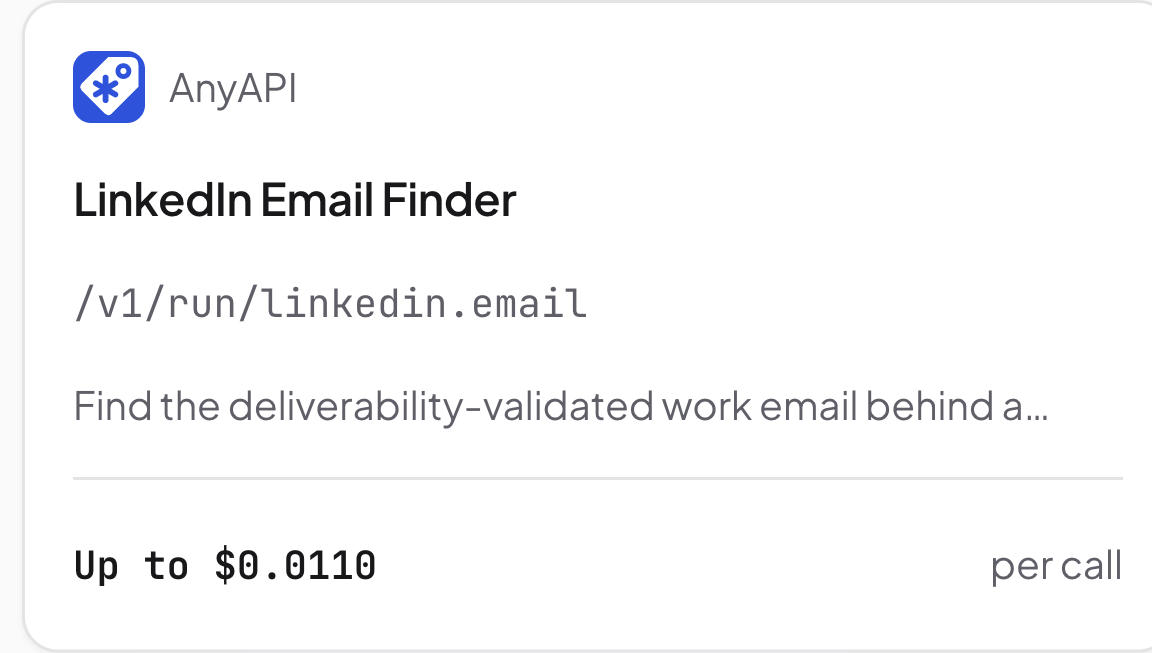
LinkedIn Email Finder card. Source: Purrkey tool directory, captured November 12, 2026. The card shows "Up to $0.0110 per call"
One call covers one profile. The contract has no batch field, so 25 profiles means 25 calls and a loop on your side, and that is the number the cost table below is built from
Reading the output fields that drive the decision
found and data sit at the top level. When data is null and found is false, a reason field appears with the value not_found. The contract says a found: false answer is a successful call, not an error, and that costUsd is what it actually cost
data.emails is an array and can hold more than one address. Each entry carries email, deliverable, status, qualityScore and validEmailServer. deliverable is true when the email passed deliverability checks including SMTP. status is the validation status, for example valid. qualityScore runs from 0 to 100
The pick rule fits in one line: take the entry with deliverable: true and the highest qualityScore. When no entry is deliverable, leave the row empty instead of writing a weaker address into the sheet
firstName, lastName, headline, city and country come back on the same data object. Keep firstName and headline in the sheet so the greeting can be written later without another lookup
The agent prompt
Set up https://purrkey.app/SKILL.md, then use Purrkey to find a work email
for each of the 25 LinkedIn profiles below with anyapi.linkedin.email.
Check the current inputs and price of anyapi.linkedin.email before running
anything. Call it once per profile, passing profileUrl as either the full
URL or the public identifier. If found is false or data is null, leave the
email and signal columns empty. When emails holds more than one entry,
keep the one with deliverable true and the highest qualityScore. Return a
table with profileUrl, firstName, headline, email, deliverable, status,
qualityScore and decision (keep or leave empty). Do not guess addresses.

https://www.linkedin.com/in/example-maria-lindqvist
example-tom-okafor
https://www.linkedin.com/in/example-priya-raman
Swap the three example rows for your 25 real profiles. Ask for the table back rather than a paragraph, so the rows can be pasted straight into the sheet. Run five first and read the deliverable column before you commit the rest
Lower ceiling, no deliverability data
anyapi.email_finding.quickenrich also accepts a LinkedIn profile URL, at a lower ceiling of up to $0.0072 per call, and returns a candidate address without deliverability signals. Its catalog description says coverage is strongest for small and local businesses and thin for large technology employers. On a mixed list of profiles that means a second verification step and a coverage caveat, which is the trade the LinkedIn tool reverses, at a higher ceiling
Two companion guides cover the neighbouring jobs: find a work email from a name and company domain for lists without profile URLs, and LinkedIn profile data for a list for the case where the email is not the point
Estimated tool cost
Prices are from the Purrkey catalog, read November 12, 2026, under price revision anyapi-catalog-2026-11-05. The tool runs through POST /v1/runs with toolId anyapi.linkedin.email and is billed at unit max_call, which the catalog explains as "Maximum per call. Successful runs settle at the actual AnyAPI charge". The totals below are ceilings, not settled charges
| Step | Formula | Unit price | Planned quantity | Total |
|---|---|---|---|---|
| Full list | 25 calls x max price | $0.011 per call | 25 | $0.275 |
| Trial run | 5 calls x max price | $0.011 per call | 5 | $0.055 |
A found: false row is still a successful call. Model fees for the agent are not counted
Next action
Open the LinkedIn email tool page, run the five example profiles or five of your own, and check deliverable and qualityScore on the returned rows before spending the full $0.275
Get started by giving this to your agent
- Claude Code
- Codex
- Gemini CLI
- Cursor
- GitHub Copilot
Set up https://purrkey.app/SKILL.md, then use Purrkey to show me what I can do with LinkedIn.FAQ
How do I find a work email from a LinkedIn profile?
Send the profile URL or its public identifier to anyapi.linkedin.email once per person. The response returns the discovered emails with deliverability and validation signals, plus the person's first name and headline.
What input does anyapi.linkedin.email take?
One field, profileUrl, which accepts a full LinkedIn profile URL or the public identifier, the last part of the URL. The alias url maps to the same field.
What comes back when no email is found?
found is false, data is null and reason is not_found. The contract says that answer is a successful call, not an error, and costUsd reports what it actually cost.
What do deliverable and qualityScore mean?
deliverable is true when the email passed deliverability checks including SMTP, and qualityScore is a confidence score from 0 to 100. Pick the entry with deliverable true and the highest qualityScore.
Can I send several LinkedIn profiles in one call?
No. The input schema takes a single profileUrl, so 25 profiles means 25 calls and a loop on your side.
How much does it cost to look up 25 profiles?
At most $0.275, at the $0.011 per call ceiling. A trial run of five profiles is at most $0.055.
What does the tool return besides the email address?
It returns the profile fields on the same data object, including firstName, lastName, headline, city and country, which can be kept for the greeting.
Next step
Try this with LinkedIn
The tool directory lists every endpoint with its current price. Inspect the inputs there, then let your agent run a small batch before scaling up.